Mostrando postagens com marcador cursos Maya. Mostrar todas as postagens

domingo, 13 de junho de 2010

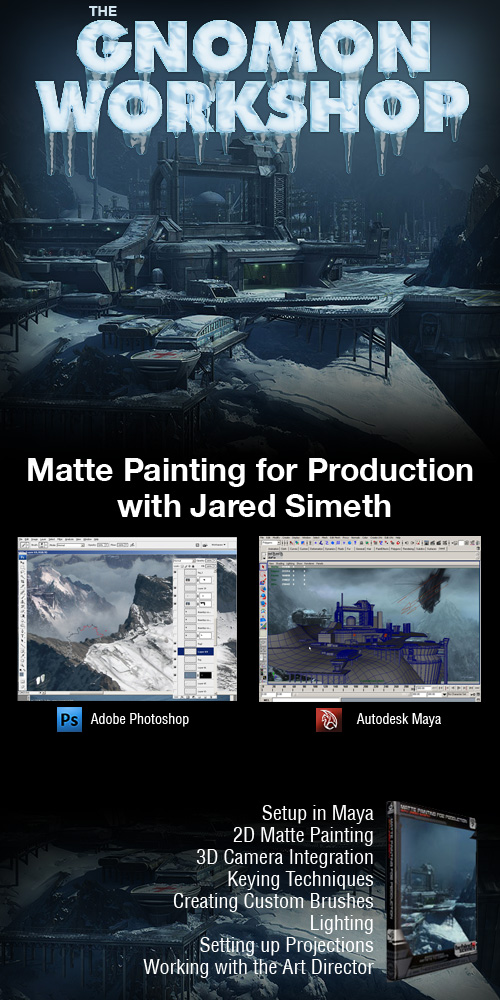
Gnomon BTS - Matte Painting for Production


Gnomon BTS - Matte Painting for Production with Jared Simeth

BEHIND THE SCENES

Links:

http://hotfile.com/dl/48236087/bceee4b/BTS07_lecture_01.rar.html
http://hotfile.com/dl/48236109/04babbf/BTS07_lecture_02.rar.html
http://hotfile.com/dl/48236223/001e764/BTS07_lecture_03.part1.rar.html
http://hotfile.com/dl/48236326/e8e0c1d/BTS07_lecture_03.part2.rar.html
http://hotfile.com/dl/48236450/258d9ba/BTS07_lecture_04.part1.rar.html
http://hotfile.com/dl/48236550/338b3f0/BTS07_lecture_04.part2.rar.html
http://hotfile.com/dl/48236618/258e0ac/BTS07_lecture_04.part3.rar.html
http://hotfile.com/dl/48236692/35e00a7/BTS07_lecture_05.rar.html
http://hotfile.com/dl/48236784/78347bb/BTS07_lecture_06.part1.rar.html
http://hotfile.com/dl/48236843/b6e4102/BTS07_lecture_06.part2.rar.html
http://hotfile.com/dl/48236991/a25f4b6/BTS07_lecture_07.part1.rar.html
http://hotfile.com/dl/48237067/5fbdc56/BTS07_lecture_07.part2.rar.html
http://hotfile.com/dl/48237091/2a1fa2c/BTS07_lecture_07.part3.rar.html
http://hotfile.com/dl/48237169/6d59d67/BTS07_lecture_08.part1.rar.html
http://hotfile.com/dl/48237283/4704c0e/BTS07_lecture_08.part2.rar.html
http://hotfile.com/dl/48237309/a7bb6c7/BTS07_lecture_08.part3.rar.html
http://hotfile.com/dl/48237441/3084820/BTS07_lecture_09.part1.rar.html
http://hotfile.com/dl/48237496/c29be35/BTS07_lecture_09.part2.rar.html
http://hotfile.com/dl/48237538/3a0523f/BTS07_lecture_10.rar.html
http://hotfile.com/dl/48237615/536b630/BTS07_project_files.part1.rar.html
http://hotfile.com/dl/48237659/82a9005/BTS07_project_files.part2.rar.html

sexta-feira, 16 de abril de 2010

Digital Tutors - Introduction To Maya Animation Walk Cycle

    Digital Tutors - Introduction To Maya Animation Walk Cycle


  • Digital Tutors - Introduction To Maya Animation Walk Cycle
    Digital Tutors - Introduction To Maya Animation Walk Cycle | ISO | 505 MB

    Create convincing walk cycles and easily learn time-saving animation techniques in Maya. Contains over 2.5 hours of project-based training. Perfect for beginner to intermediate users.
    Popular highlights include:

    * Walk Cycle Diagram
    * Layering Body Mechanics
    * Follow Through and Weight
    * MEL Scripting for Animators
    * Transforming Male Walk into Female Walk
    * Translating Walk Cycle Forward
    * Keying in Channel Box
    * Graph Editor
    * Insert Key Tool
    * Breaking Tangents to Create the Illusion of Weight
    * Editing Tangents for Seamless Cycling
    * Cycling with Pre and Post Infinity


    Download from Hotfile
    http://hotfile.com/dl/27691379/71929f3/DT.WalkCycle.part1.rar.html
    http://hotfile.com/dl/27691378/1205e76/DT.WalkCycle.part2.rar.html
    http://hotfile.com/dl/27691373/c6cb348/DT.WalkCycle.part3.rar.html
    http://hotfile.com/dl/27691417/047260c/DT.WalkCycle.part4.rar.html
    http://hotfile.com/dl/27691452/cde5a9e/DT.WalkCycle.part5.rar.html
    http://hotfile.com/dl/27691561/1668803/DT.WalkCycle.part6.rar.html

Character Modeling & Animation: Principles and Practices"

E-Books → Tereza Flaxman, "Maya 2008 Character Modeling & Animation: Principles and Practices"


Tereza Flaxman, "Maya  2008 Character Modeling & Animation: Principles and  Practices"
Tereza Flaxman, "Maya 2008 Character Modeling & Animation: Principles and Practices"
Charles River Media | 2008 | ISBN: 1584505567 | 449 pages | PDF | 9,4 MB

Are you ready to take on the challenge of animating realistic and compelling characters using the latest version of Maya, the powerful 3D graphics and modeling software? "Maya® 2008 Character Modeling and Animation: Principles and Practices" shows beginner to intermediate animation students and enthusiasts how to create professional-quality characters, explaining the full character animation process from pre-production to final full body and facial animation. Each chapter begins by exploring the “why” behind the techniques being presented, followed by step-by-step tutorials to apply your new knowledge. Following a series of hands-on projects you’ll learn how to model, rig, and animate, building a comprehensive skill-set as you move progressively through each chapter.You’ll learn to master Maya’s capabilities on both a technical and artistic level as you create incredible animated characters full of emotion and expression.

Download links:

quinta-feira, 15 de abril de 2010

Digital Tutors - Maya Modeling Techniques: Interiors

    Digital Tutors - Maya Modeling Techniques: Interiors


  • Digital Tutors - Maya  Modeling Techniques: Interiors
    Digital Tutors - Maya Modeling Techniques: Interiors | MOV | 1.18 GB


    Learn a production workflow to interior set modeling that can be used for Film, Games, and Architectural Visualizations with 5 hours of project-based training. Great for intermediate artists.
    Popular highlights include:

    •Polygon to Subdivision Workflow
    •Methods for Creating Clean Geometry
    •Adding Edge Resolution
    •Insert Edge Loop Tool
    •Offset Edge Loop Tool
    •Bevel Tool
    •Bridge Tool
    •Extrude Tools
    •Optimizing Geometry for Lighting
    •Strategically Adding Details
    •Re-purposing Geometry
    •Making Resolution Decisions
    •Breaking Up Lines for Visual Aesthetics
    •Isolating Resolution
    •Hard-surface Modeling Techniques
    •Modeling with Deformers
    •Creative Practices with Paint Effects
    •Complex Scene Management

    Lesson Outline:

    1.Introduction and project overview 0:48
    2.Overview of project techniques 3:12
    3.Overview of tools that will be used in this project 3:53
    4.Building the living room architecture 6:24
    5.Cutting out the doorways and windows 7:12
    6.Adding some steps 7:26
    7.Finishing out the room with trim 7:37
    8.Starting to model the windows 10:58
    9.Adding latches and handles to the windows 9:10
    10.Building the door 10:51
    11.Building a modern bookshelf 10:42
    12.Starting to model the sofa 14:27
    13.Finishing the sofa by adding legs and a back 11:33
    14.Adding an area rug 5:39
    15.Building a glass coffee table 15:14
    16.Starting to model a floor lamp 13:25
    17.Finishing the lamp 12:14
    18.Using the sofa to build a chair 9:42
    19.Adding a television to the wall 7:18
    20.Building a media stand 9:38
    21.Building a freeform sculpture for the shelf 7:50
    22.Using deformers to build a 'twisted' vase 5:05
    23.Adding some books to the shelf 5:36
    24.Building a small jar and bowl 8:21
    25.Building a bookend 5:05
    26.Adding audio / video components to the media stand 7:30
    27.Quickly building large groups of media - CDs and DVDs 8:36
    28.Building framed artwork 4:20
    29.Creating a sculptural piece of art for the wall 9:29
    30.Building a curtain rod 5:36
    31.Building and deforming the curtains 14:46
    32.Adding door frames, a threshold, and power outlets 7:53
    33.Using Paint Effects to add a large potted plant 7:29
    34.Building an electrical cord and plug for the floor lamp 6:24
    35.Building a small cactus using Paint Effects 12:57
    36.Conclusion 1:12
    37.Bonus Lesson: Creating a virtual catalog using annotations and notes 3:44


    Screenshot
    Digital Tutors - Maya  Modeling Techniques: Interiors
download

Advanced Compositing Workflows with Maya and After Effects

    Digital Tutors - Advanced Compositing Workflows with Maya and After Effects


  • Digital Tutors - Advanced  Compositing Workflows with Maya and After Effects
    Digital Tutors - Advanced Compositing Workflows with Maya and After Effects
    English | WMV3 792x656 | MP3 64 Kbps | 1.32 GB
    Genre: eLearning

    In this series of lessons, we will be taking you through the process of rendering your Maya scene into multiple passes, and using some advanced techniques for compositing these passes using Toxik.

    We will dedicate the first portion of this course to using Render Passes in Maya to separate various elements of our scene at render time. We'll use mental ray's render passes, contribution maps, custom framebuffers, and render layers to create the necessary render passes for our scene. In the second portion of this course we will begin with some quick compositing similar to our Compositing 3D Renders in After Effects course, but we will quickly get into more advanced topics such as basic and advanced Depth-of-Field, Proxies, spot paint fixing and chromatic aberration.

    Lesson Outline

    1. Introduction and Project Overview
    2. Preparing Maya scene for multi-pass rendering
    3. Creating Contribution Maps for multi-pass rendering
    4. Setting up render passes in mental ray
    5. Using Custom Color Buffers to render specialized passes
    6. Creating new Render Layers and using Layer Overrides
    7. Importing our render passes and creating Proxies
    8. Using Blending Modes to composite our ant
    9. Color Correcting various passes with effects and masks
    10. Creating a Lightwrap to tie the Foreground to the Background
    11. Tweaking our Matte to Remove a Black Outline
    12. Painting our Matte image to fix issues with the feet
    13. Setting up a Basic Depth-of-Field effect using the Depth pass and Color Correct
    14. Adding to our Depth-of-Field with another Blur Effect
    15. Adding Depth-of-Field to the background
    16. Fixing haloing by extending the Depth with a basic Minimax
    17. Advanced Minimax Layering to correctly extend the Depth
    18. Using an Expression to simplify the Minimax layering
    19. Fixing the depth matte and the ant matte to remove DOF errors
    20. Adding Chromatic Aberration to our image
    21. Adding and Tweaking Grain for that final level of detail

    Screenshot
    Digital Tutors - Advanced  Compositing Workflows with Maya and After Effects


    maiores informações
    _http://www.digitaltutors.com/09/training.php?cid=5&pid=222
download

Simply Max – Bot Modelling Tutorial

    Simply Max – Bot Modelling Tutorial


  • Simply Max – Bot Modelling  Tutorial
    Simply Max - Bot Modelling Tutorial
    English | AVI | 800*600 | 9 video clips | 535 MB

    Kurt takes us through modeling this hard surface robot. He starts off with image plane set-up then proceeds with polygon primitives to achieve all the basic proportions. Then Kurt adds detail using a variety of different modeling tools, before converting to sub-d’s for final shaping. After using these methods to create the robot then you can use everything learnt to apply to similar projects.

Digital Tutors - Getting Started with Zbrush

    E-Books » Video Training → Digital Tutors - Getting Started with Zbrush


  • Digital Tutors - Getting  Started with Zbrush
    Digital Tutors - Getting Started with Zbrush | FLV | 528 MB


    In this course we will get up to speed quickly in Zbrush by getting a comprehensive overview of the available tools and techniques.

    Lesson Outline (20 lessons)

    01. Introduction and Project Overview
    02. Pixols and the 2.5d canvas
    03. Getting around the interface
    04. Painting with 2.5d brushes
    05. Working with tools
    06. Importing geometry into Zbrush
    07. Subdividing your geometry
    08. Getting started with sculpting
    09. Sculpting brush types and settings
    10. Using strokes and alphas
    11. Masking and hiding geometry
    12. Working with materials
    13. Polypainting in Zbrush
    14. Rendering images and movies
    15. Working with subtools
    16. Using 3d layers
    17. Posing characters using Transpose
    18. Using Zspheres to create base geometry
    19. Creating Normal and Displacement maps
    20. Extending Zbrush with plugins


    Screenshot
    Digital Tutors - Getting  Started with Zbrush

download

Digital-tutors : Animating Next-Gen Characters in Maya

    E-Books » Video Training → Digital-tutors : Animating Next-Gen Characters in Maya


  • Digital-tutors : Animating  Next-Gen Characters in Maya
    Digital-tutors : Animating Next-Gen Characters in Maya | 2.3Gb

    Learn a production workflow to game animation and time-saving methods for creating game-ready characters rigs, non-linear animation, and adding appeal. Contains over 6 hours of project-based training for artists learning character animation for next-generation games.
    Popular highlights include: Rigging Techniques for Games; Scene Organization; Custom Shelves; Creating Control Objects with MEL; Constraints; Advanced Spline IK Twist control; Alias Attributes; Binding Techniques; Rotation Order; Follow-through; Exaggeration; Arcs; Timing and Spacing; Weight; Cycling Animation; Animated Transitions; Character Sets; Trax Editor;* You may use Maya version 8.0 and up to follow along with the training. X-Ray Joints is the only feature that we discuss that is available in Maya version 2008 and up only.
    Digital-tutors : Animating  Next-Gen Characters in Maya
fonte:http://www.downarchive.com/

download

Digital-tutors: Animating Creatures in Maya: Insects

    E-Books » Video Training → Digital-tutors: Animating Creatures in Maya: Insects


  • Digital-tutors: Animating  Creatures in Maya: Insects
    Digital-tutors: Animating Creatures in Maya: Insects | 1.3Gb

    Learn an artist-friendly workflow to creature animation in Maya. Contains over 4 hours of project-based training for character animators learning new methods of animating multi-limbed creatures.
    Popular highlights include: Animating Hexapedal Creatures; Tips for Animating Insect Legs; Adding Energy for Appealing Movement; Using Pose to Pose and Straight Ahead to Block in Animation; Convincingly Animating Antennas ; Follow-through; Overlapping; Weight; Anticipation; Establishing Timing for an Attacking Creature; Fine-tuning Motion With the Graph Editor; Adding In-betweens to Control Spacing; Animating in Sections for a Faster Workflow; MEL Scripting for Animation.
    Digital-tutors: Animating  Creatures in Maya: Insects
fonte:http://www.downarchive.com

download

Digital Tutors Introduction To Maya Muscle

    E-Books » Video Training → Digital Tutors Introduction To Maya Muscle


  • Digital Tutors Introduction To Maya Muscle
    Digital Tutors Introduction To Maya Muscle
    SVQ3 MOV | 788x648 | Video: 755kbps, audio: 48kbps | 0.9GB

    This bundle allows you access to the entire library of video curriculum originally designed for the Mastering Maya: The Fundamentals Online Class. This bundle allows you to get your hands on these incredible videos without having to deal with the time constraints and scheduling of the actual online class. Learn at your own pace as we guide you step-by-step through the process of growing from a Maya beginner into a true Maya master! Within these discs you will find over eighty two hours of the finest introductory Maya training ever compiled. Whether you are a complete stranger to the world of Maya, are self-taught, or have already received formal education, prepare to receive a training experience unlike anything you've ever seen, and a level of self-confidence you would have never thought possible! Immerse yourself in nearly 400 videos, covering topics ranging from introductions to 3D space, to modeling, animation, lighting, rendering, scripting, and so much more! As you progress through three highly varied and intensive projects, each focusing on different areas of the program, and carefully designed to bring your skills to a professional level in a smooth, flowing manner. Virtually every aspect of the program is explained and made clear, keeping the beginner skill set in mind.
fonte:http://www.downarchive.com


download

Digital Tutors - Creating Realistic Eyes in Photoshop and Maya

    E-Books » Video Training → Digital Tutors - Creating Realistic Eyes in Photoshop and Maya


  • Digital Tutors - Creating  Realistic Eyes in Photoshop and Maya
    Digital Tutors - Creating Realistic Eyes in Photoshop and Maya
    English | WMV3 792x656 | MP3 64 Kbps | 987 MB
    Genre: eLearning

    In this series of lessons, we will learn how to texture and render realistic eyes using Photoshop and Maya.

    When trying to create highly realistic, lifelike characters, the importance of the eyes is often understated. In fact, the eyes are one of the most important aspects to consider when creating characters that truly look and feel alive. During this course, we will learn how to create highly realistic eye textures from scratch using Photoshop, and in a way that gives us a high degree of flexibility and control over the textures' color variations and other details. Once the texturing has been completed, we will jump into Maya, where we will discuss shading and rendering techniques that can give the eye a highly realistic final look. Along the way we will be exploring many additional tips, tricks, and workflows that you will be able to use both in Photoshop and in Maya to help create more believable, realistic eyes for your characters.

    Lesson Outline (13 lessons)

    1. Introduction and Project Overview
    2. Creating UV snapshot for the eyes within Maya
    3. Starting the iris shape in Photoshop
    4. Building the first layer of iris fibers within Photoshop
    5. Painting additional iris details within Photoshop
    6. Altering coloration of various iris layers
    7. Viewing initial eye texture within Maya
    8. Painting eye veins within Photoshop
    9. Finalizing eye texture within Photoshop
    10. Creating a realistic eye material within Maya
    11. Giving the eye a wet appearance in Maya
    12. Simulating wet tissue in the corner of the eye
    13. Making final alterations to our scene within Maya

    Screenshot
    Digital Tutors - Creating  Realistic Eyes in Photoshop and Maya


    mais informações aqui
    _http://www.digitaltutors.com/09/training.php?cid=2&pid=279
download

Digital Tutors Creating Digital Human All Volumes

    E-Books » Video Training → Digital Tutors Creating Digital Human All Volumes


  • Digital Tutors Creating  Digital Human All Volumes
    Digital Tutors Creating Digital Human All Volumes | 2.14GB


    Creating Digital Humans 1: Volume and Muscle
    Creating Digital Humans 2: Definition and Detailing
    Creating Digital Humans 3: UV and Texture Mapping
    Creating Digital Humans 4: Shading and Rendering

    Course: Creating Digital Humans 1: Volume and Muscle
    Learn organic modeling techniques and a production workflow to creating clean topology and establishing anatomical volume and muscle to create a realistic human from reference. Contains over 5 hours of project-based training for artists learning the technical and artistic processes of creating digital doubles.

    Course: Creating Digital Humans 2: Definition and Detailing
    Learn organic modeling techniques and a production workflow to creating clean topology, adding muscle definition, and strategically adding detail to create a realistic human from reference. Contains over 5 hours of project-based training for artists learning the technical and artistic processes of creating digital doubles for use in Film and Games.

    Course: Creating Digital Humans 3: UV and Texture Mapping
    Learn a production workflow to UV layout and texture mapping and time-saving techniques to create realistic humans from reference. Contains over 6 hours of project-based training for artists learning the technical and artistic processes of creating digital doubles for use in Film and Games.

    Course: Creating Digital Humans 4: Shading and Rendering
    Learn a production workflow to shading and rendering using innovative techniques for creating realistic humans from reference. Contains 3 hours of project-based training for artists learning the technical and artistic processes of creating digital doubles for use in Film and Games.

    Download :
fonte:http://www.downarchive.com

Digital Tutors - Creating Concept Vehicles in Maya

    E-Books » Video Training → Digital Tutors - Creating Concept Vehicles in Maya


  • Digital Tutors - Creating  Concept Vehicles in Maya
    Digital Tutors - Creating Concept Vehicles in Maya | 2.6GB
    English | MOV 788x648 15.00fps | MP3 48.0 Kbps 22.05 Khz

    Learn an artist-oriented workflow to concept development, polygon modeling, lighting, and rendering. Provides nearly 7 hours of project-based training on conceptual vehicle modeling for use in film, games, and design. Perfect for new and experienced artists.

    Popular highlights include: Conceptual Development; Solutions to Design Challenges; Polygon Modeling Techniques; Using Smooth Preview; Converting Smooth Preview to Polygons; Thumbnails to Complete Designs; Using 3D to Pre-visualize Models; Automotive Terminology and Design; Creating Creases with Edge Loops; Adding Realism with Detail; UV Mapping Techniques; Applying Chrome Surface Materials; Building Car Paint Materials; Creating Brushed Metal Effects; Using the Text tool; Rendering with Final Gather; Adding HDRI Lighting; Texture Creation in Photoshop; Creating Tiled Bump Map; Building Textures with UV Snapshots; Manipulating Edge Flow with Split Polygon Tool; Creating Fitted Panels; Adding Glowing Panels;

  • download

    mais informações: http://www.digitaltutors.com/09/training.php?cid=5&pid=3518

Digital Tutors Creating Cartoon Characters in 3Ds Max | 2.62GB


  • Digital Tutors Creating  Cartoon Characters in 3Ds Max
    Digital Tutors Creating Cartoon Characters in 3Ds Max | 2.62GB

    Learn a production workflow to creating organic cartoon characters and time-saving techniques to creating animation-friendly topology, exaggerating proportions, and adding appeal. Contains over 7.5 hours of project-driven training for artists learning the artistic processes of creating stylized cartoon characters as seen in animated feature films
    Digital Tutors Creating  Cartoon Characters in 3Ds Max
link do download AQUI

fonte:------http://www.downarchive.com

Digital-tutors : Body Mechanics and Animation in Maya: Lifting Heavy Objects


    E-Books » Video Training → Digital-tutors : Body Mechanics and Animation in Maya: Lifting Heavy Objects


  • Digital-tutors : Body  Mechanics and Animation in Maya: Lifting Heavy Objects
    Digital-tutors : Body Mechanics and Animation in Maya: Lifting Heavy Objects | 1.6GB

    Easily learn character animation and the body mechanics involved for lifting heavy objects and add style, personality, and life to you next animation. Contains nearly 7 hours of project-based training.
    Popular highlights include: Exploring the Body Mechanics of a Heavy Lift; Animating to Show Believable Weight and Tension; Proper Timing and Spacing using Rhythm; Working with Storyboards; Pose to Pose Method; Adding Arcs; Follow-Through; Overlapping for Fluid Motion; Exaggerating Poses for Appealing Movement; Graph Editor; Weighted Tangency & Free Tangent Weights; Modifying Tangents; Editing Timing of Actions with Character Sets; Animating the Body in Sections; Animation Hot Keys; Character Animation and Object Checklist ;* Project files provided with this training kit require Maya 7 to be opened. If you do not have Maya 7, you can create your own character rig with the help of our ""Character Setup in Maya"" training kit.
    Digital-tutors : Body  Mechanics and Animation in Maya: Lifting Heavy Objects

    Download
    http://hotfile.com/dl/38066645/e0722d2/TD_BMaAiMLHOCDR1.part1.rar.html
    http://hotfile.com/dl/38066694/05672db/TD_BMaAiMLHOCDR1.part2.rar.html
    http://hotfile.com/dl/38066727/d98d368/TD_BMaAiMLHOCDR1.part3.rar.html
    http://hotfile.com/dl/38066775/1159018/TD_BMaAiMLHOCDR1.part4.rar.html
    http://hotfile.com/dl/38066794/ae86100/TD_BMaAiMLHOCDR1.part5.rar.html
    http://hotfile.com/dl/38066839/56351ae/TD_BMaAiMLHOCDR1.part6.rar.html
    http://hotfile.com/dl/38066898/0d1bf5d/TD_BMaAiMLHOCDR1.part7.rar.html
    http://hotfile.com/dl/38066963/4515420/TD_BMaAiMLHOCDR2.part1.rar.html
    http://hotfile.com/dl/38067006/e444f8c/TD_BMaAiMLHOCDR2.part2.rar.html
    http://hotfile.com/dl/38067039/e1eff4e/TD_BMaAiMLHOCDR2.part3.rar.html
    http://hotfile.com/dl/38067084/45861c9/TD_BMaAiMLHOCDR2.part4.rar.html
    http://hotfile.com/dl/38067104/dccb7ba/TD_BMaAiMLHOCDR2.part5.rar.html
    http://hotfile.com/dl/38067189/920cf0c/TD_BMaAiMLHOCDR2.part6.rar.html
    http://hotfile.com/dl/38067219/06f2a9d/TD_BMaAiMLHOCDR2.part7.rar.html
    http://hotfile.com/dl/38067263/e5177c8/TD_BMaAiMLHOCDR3.part1.rar.html
    http://hotfile.com/dl/38067282/6d2d7d6/TD_BMaAiMLHOCDR3.part2.rar.html
    http://hotfile.com/dl/38067308/923d904/TD_BMaAiMLHOCDR3.part3.rar.html
    http://hotfile.com/dl/38067311/ecae733/TD_BMaAiMLHOCDR3.part4.rar.html

    Mirror
    http://uploading.com/files/99f28249/TD_BMaAiMLHOCDR1.part1.rar/
    http://uploading.com/files/13a12f8f/TD_BMaAiMLHOCDR1.part2.rar/
    http://uploading.com/files/71m7m3ce/TD_BMaAiMLHOCDR1.part3.rar/
    http://uploading.com/files/8d23ab91/TD_BMaAiMLHOCDR1.part4.rar/
    http://uploading.com/files/8mfd58d1/TD_BMaAiMLHOCDR1.part5.rar/
    http://uploading.com/files/162dab5d/TD_BMaAiMLHOCDR1.part6.rar/
    http://uploading.com/files/c1957638/TD_BMaAiMLHOCDR1.part7.rar/
    http://uploading.com/files/546ecm62/TD_BMaAiMLHOCDR2.part1.rar/
    http://uploading.com/files/1m7e7d94/TD_BMaAiMLHOCDR2.part2.rar/
    http://uploading.com/files/4cbcb11d/TD_BMaAiMLHOCDR2.part3.rar/
    http://uploading.com/files/emed3e49/TD_BMaAiMLHOCDR2.part4.rar/
    http://uploading.com/files/67f9e7mb/TD_BMaAiMLHOCDR2.part5.rar/
    http://uploading.com/files/4mfe4b3m/TD_BMaAiMLHOCDR2.part6.rar/
    http://uploading.com/files/abd556ma/TD_BMaAiMLHOCDR2.part7.rar/
    http://uploading.com/files/331c4b36/TD_BMaAiMLHOCDR3.part1.rar/
    http://uploading.com/files/1b5957cm/TD_BMaAiMLHOCDR3.part2.rar/
    http://uploading.com/files/8f8c1f8f/TD_BMaAiMLHOCDR3.part3.rar/
    http://uploading.com/files/m529a86f/TD_BMaAiMLHOCDR3.part4.rar/
fonte:----http://www.downarchive.com/

sexta-feira, 2 de abril de 2010

AUTODESK MAYA UNLIMITED V2009 SP1A WIN32

AUTODESK MAYA UNLIMITED V2009 SP1A WIN32 | Rs link | 361 Mb

fonte http://www.downtr.net/uploads/download.gif
http://rapidshare.com/files/222982167/Autodesk.Maya.Unlimited.V2009.SP1.WIN32-XFORCE.sh.part1.rar
http://rapidshare.com/files/222982242/Autodesk.Maya.Unlimited.V2009.SP1.WIN32-XFORCE.sh.part2.rar
http://rapidshare.com/files/222982953/Autodesk.Maya.Unlimited.V2009.SP1.WIN32-XFORCE.sh.part3.rar
http://rapidshare.com/files/222982933/Autodesk.Maya.Unlimited.V2009.SP1.WIN32-XFORCE.sh.part4.rar


AUTODESK MAYA UNLIMITED V2009 SP1A WIN32 Fast Download


AUTODESK MAYA UNLIMITED V2009 SP1A WIN32 Rapidshare

Simply Maya - Dragon Modeling

Simply Maya - Dragon Modeling
English | DivX 5 800x600 15.00fps 302 kb/s | MPEG-2 Layer 3, 32 kb/s, monophonic CBR , 22050 Hz | 800Mb
Genre: elearning
The Modeling sections of this tutorial have been re-encoded to a higher standard. If you've previously downloaded the dragon tutorial you will be able to download the remastered version of the modeling at no extra cost.

Kurt Boutilier now takes us through the modeling of the dragon Going from nurbs to polys to Sub D - this tutorial is a must for all Maya enthusiasts.


Download Links
No Password
fonte digital tutors

Digital Tutors Animation Layers in Maya


Digital Tutors Animation Layers in Maya
Runtime: 2 hrs. 8 min.| Software: Maya 2009 and up
535 MB | Hotfile Links
Learn a powerful workflow to the new animation layering feature set in Maya 2009. Gain more flexibility and learn nondestructive techniques that can be used to create and edit any animation. Contains 2 hours of project-based training.
Popular highlights include: Overview of Animation Layers; Animating on Layers; Practical Layering Workflows; Importing and Exporting Animation Layers; Working with Layer Modes; Merging Layers; Baking Layers; Using Expressions with Layers; Controlling a Layer's Weight; Filtering Layered Keyframes; Understanding Animation Layer Hierarchies; Examining the Animation Layer Node; Utilizing Animation Layers as Takes; Adjusting the Animation Layer Editor's Layout; Packaging Layers into Containers; Working with Layers and Trax Editor; Ghosting Animation Layers; Template F-curves of Layered Animation; Animation Layer States; Using Constraints with Layers; Parenting layers; Using the Animation Layer Toolbar and Pane; Copying Layers; Extracting Animation into New Layers; Adding and Removing Objects and Attributes in

Download Links

Hotfile

http://hotfile.com/dl/33675972/046d450/dtalm.part1.rar.html
http://hotfile.com/dl/33676173/e61f288/dtalm.part2.rar.html
http://hotfile.com/dl/33676230/0eb5b3d/dtalm.part3.rar.html

fonte digital tutors

Digital Tutors - Exaggerated Facial Modeling in Maya and ZBrush

Digital Tutors - Exaggerated Facial Modeling in Maya and ZBrush
English | Run Time: 4 hrs. 55 min., 3 CD | MOV | 1.9GB
Genre: eLearning
Learn organic modeling techniques and a production workflow to creating clean topology, adding definition, exaggerating proportions, and strategically adding detail to create animatable geometry using Maya and ZBrush. Contains nearly 5 hours of project-based training for artists learning character creation and look development for use in Film and Games.
Popular highlights include:
* Modeling Exaggerated Features
* Using Reference Art
* Building Deformable Topology
* Building Initial Edge-flow
* Extruding Geometry Along Curves
* Bridging Geometry
* Modeling Eyes
* Modeling Symmetrically
* Building Large Wrinkles
* Modeling Ears
* Adding Mouth Interior
* Connecting Edges with Split Polygon Tool
* Importing/Exporting Geometry
* Assembling Subtools in ZBrush
* Filling Portions of Subtools with Color
* Modifying Head with Move Brush
* Sub-dividing Geometry
* Sculpting Facial Features
* Adding Small Wrinkles
* Adding Irregularities
* Adding Detail with Alpha Maps and Strokes
* Creating a UV Layout
* Integrating UV Changes into ZBrush Sculpt
* Creating Normal Maps in ZBrush
* Applying and Viewing Normal Maps in Maya

Lesson Outline:

1.Blocking in the top of the head 8:10
2. Modeling the bridge of the nose 7:38
3.Drawing out the nasolabial fold 12:36
4.Building the brow ridge and cheek bone 6:02
5.Extruding out the jaw line 6:16
6.Building the back of the neck 7:49
7.Connecting the neck and adding musculature 11:52
8.Completing the neck and shoulders 13:05
9. Creating the nose 11:10
10. Modeling the mouth 10:59
11.Building the eyeball 6:35
12. Modeling the eye area 7:45
13. Filling in the cheek geometry 9:30
14. Starting construction of the ear 7:34
15. Building the structure of the ear 11:09
16. Finishing the ear 6:18
17. Adding large wrinkles 7:43
18. Building the gums 7:35
19.Adding the teeth and tongue 12:54
20. Transferring the geometry from Maya to ZBrush8:04
21.Making large-scale changes to the shape of the head 7:55
22. Sculpting prominent facial features 16:49
23.Sculpting smaller wrinkles and folds 9:58
24. Sculpting time-lapse 10:08
25.Adding rough eyebrows and loose skin under the neck 7:08
26. Using alpha maps to add wrinkles 8:00
27. Adding fine detail to the face 11:36
28. Creating a UV layout for the head in Maya 12:07
29. Exporting normal maps from ZBrush 7:03
30. Applying normal maps in Maya 4:58
31. Bonus: Removing age by modifying the sculpt 9:36
32. Bonus: Removing wrinkles and smoothing the eye area 8:34


Download(Rapidshare)

http://rapidshare.com/files/333569620/DTEM1.part1.rar
http://rapidshare.com/files/333569472/DTEM1.part2.rar
http://rapidshare.com/files/333569462/DTEM1.part3.rar
http://rapidshare.com/files/333569570/DTEM1.part4.rar
http://rapidshare.com/files/333569665/DTEM1.part5.rar
http://rapidshare.com/files/333569882/DTEM1.part6.rar
http://rapidshare.com/files/333569242/DTEM1.part7.rar
http://rapidshare.com/files/333569988/DTEM2.part1.rar
http://rapidshare.com/files/333569971/DTEM2.part2.rar
http://rapidshare.com/files/333570387/DTEM2.part3.rar
http://rapidshare.com/files/333571012/DTEM2.part4.rar
http://rapidshare.com/files/333571360/DTEM2.part5.rar
http://rapidshare.com/files/333571194/DTEM2.part6.rar
http://rapidshare.com/files/333570541/DTEM2.part7.rar
http://rapidshare.com/files/333571313/DTEM3.part1.rar
http://rapidshare.com/files/333571555/DTEM3.part2.rar
http://rapidshare.com/files/333571826/DTEM3.part3.rar
http://rapidshare.com/files/333571677/DTEM3.part4.rar
http://rapidshare.com/files/333571820/DTEM3.part5.rar
http://rapidshare.com/files/333572274/DTEM3.part6.rar
http://rapidshare.com/files/333570944/DTEM3.part7.rar

fonte digital tutors

Digital Tutors: Female Android Modeling in Maya


O curso video aula está em inglês, mas a qualidade esta excelente e seguindo os passos a passos não encontraram dificuldades
Digital Tutors: Female Android Modeling in Maya
1.82 GB | HF Links
Learn how to create photorealistic organic and non-organic models with over 7 hours of self-paced training. Ideal for intermediate users.

Popular highlights include:
* Polygon Modeling
* Sub-D Modeling
* High Dynamic Range Images (HDRI)
* Displacement Mapping
* Shader Network Creation
* Subdivision Creasing
* UV Layout
* Texturing
* Rendering in mental ray
* Texture Creation in Photoshop

Download Links
Hotfile
http://hotfile.com/dl/34302725/322f1c1/dtfadkt.part01.rar.html
http://hotfile.com/dl/34302885/5e69af7/dtfadkt.part02.rar.html
http://hotfile.com/dl/34303031/4585cb4/dtfadkt.part03.rar.html
http://hotfile.com/dl/34303201/4d7625e/dtfadkt.part04.rar.html
http://hotfile.com/dl/34303362/120f288/dtfadkt.part05.rar.html
http://hotfile.com/dl/34303561/e9b200e/dtfadkt.part06.rar.html
http://hotfile.com/dl/34303766/191b1cb/dtfadkt.part07.rar.html
http://hotfile.com/dl/34303832/d3564de/dtfadkt.part08.rar.html

fonte http://www.downtr.net/tutorials/ visitem um site muito interessante sobre video aulas diversas